
I’ve been postponing it for ages but while I was working on the template design of my new business blog the application started to fail on me. It kept crashing with one 3Gig file: I realised I had to install the whole package again. So while I was at it I thought I might as well put in the new gear: a 500Gb HD and 2x2Gb of RAM. What I thought would take me an hour in the end almost took me two days. It wasn’t the hardware causing me problems, that all went quite smooth, it was the software and I decided to do a clean system install.
Of course after the installation I found out that files were missing, mostly printer descriptions and prefs and although I did make some backups it was no point trying to sort out what was missing and where it was supposed to be on the system. I deleted all the Creative Suite applications and installed them again and although I still have to sort out stuff on my HDs and take care of archiving, my machine runs fine without any problems. I now have an extra HD to backup all the client files in case one of my LaCie Porsches fails.
It’s been a busy two days but I’m quite content with the results and I know I will be grateful for doing this if I was to experience a serious crash in the future… I’m so happy with my beast… *sigh*

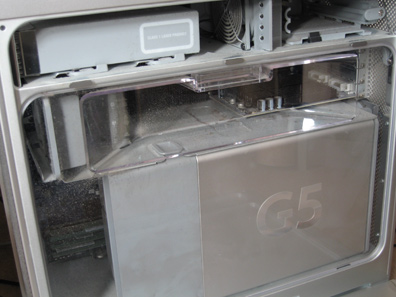
See the dirt? *EEEEW*
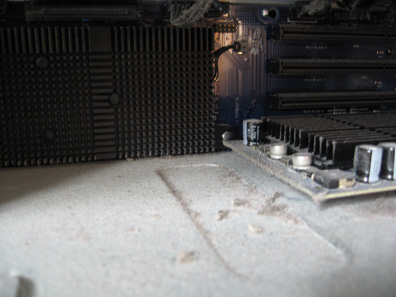
More dirt *YUK*
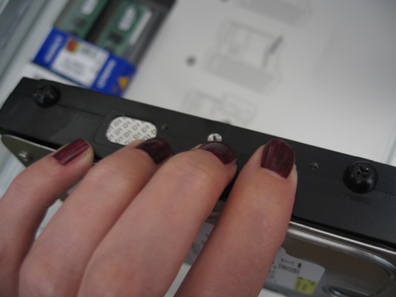
New HD with special ‘drive guides’ that were stored next to the HD bays [RAM modules top left]
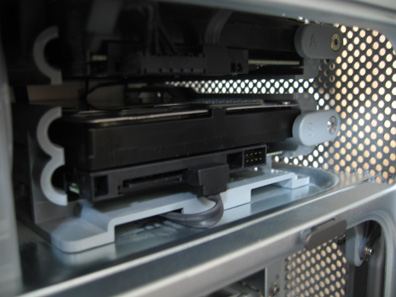
New HD in its bay, haven’t connected power cable yet, just the data cable
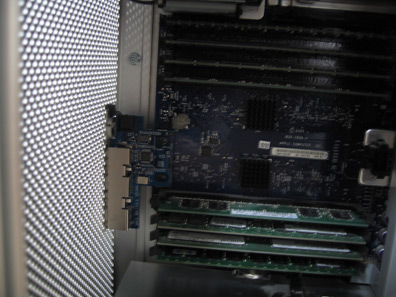
New RAM modules installed, 8 slots all full *hehe*
hehe… much, MUCH easier then my G3

And much cleaner too.
The scary thing is, if Mac sucks in that much stuff, wonder how much mij gets? :-O
Hope that new HD is speedie too… but you may not notice with all the new RAM installed at he same time.
All and all though, everything should be smoother now… and of course being busy, it’s just what you need
Oh yes so much easier… almost not as much fun as a G3 *hehe* Cleaner? Nooooo only after I used vacuum cleaner, I should’ve bought a can with air I might do still because although it is much cleaner now I know there were some spots where I couldn’t reach.
You’re not lying flat on the floor all day are you? And you don’t have a fan nor are you static I might hope? I should place G5 on top of something or in a rack though, it’s the freakin carpet causing this much dirt
Actually new HD is slow compared with firewire… but still… I’m only using it for backups not as a boot disk. I wish I could take it slow though *sigh* but there is more work coming in and I’m already behind because of the upgrade and the software causing problems.
But I know someone might be able to slow me down for a while
I see four special ‘drive guides’

Colorful too
In reference to my G3, it was always on my desk. I shudder to think what it would have looked like if it sat on the floor.
I think it was the first time I added RAM, I was surprised at all the dust bunnies in there.
So after that I would at least open the side panel and grab the canned air from time to time.
*hehe* Hope you like the special ones Testing myself to see how long it would take before it starts to annoy me, so far it didn’t (just yet)…
Mine used to be in a rack, never on the floor, but -you know- circumstances and feeling like I’m still on the move is causing temporary solutions… If I was settled again I would’ve done a lot of things in different ways.
Yes yes I hear you I know I should do that too but like I said, no easy way to get near :-O
Don’t get me started now…
Yup I know…. ’cause everything here seems to be temporary solutions.
You know what I need to change all that
(You too)
Yes… I know what I need… A home to share… and I’m working on it and not just for me